Three new features are live in your VideoNest account. Your thumbnails reach platforms clean and compliant. Your MRSS feeds go out exactly as curated. And getting 25 videos into your library now takes one drag-and-drop, with the power to edit all your metadata in a single pass. Here's what changed.
Remove Text From Thumbnails Automatically
Thumbnails are the first thing viewers see on any platform. Text overlaid on a thumbnail that looks fine on a phone screen can turn into blurry, hard-to-read noise on a 65-inch TV. Platforms like Amazon Fire TV have specific quality requirements for content thumbnails that embedded text often fails to meet.
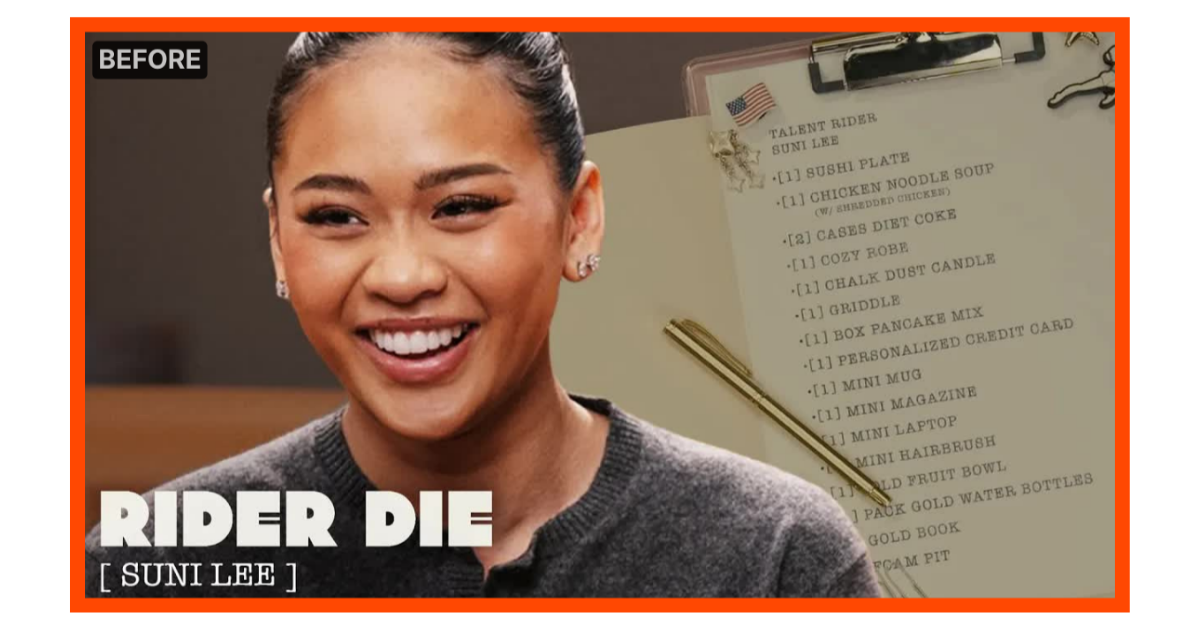
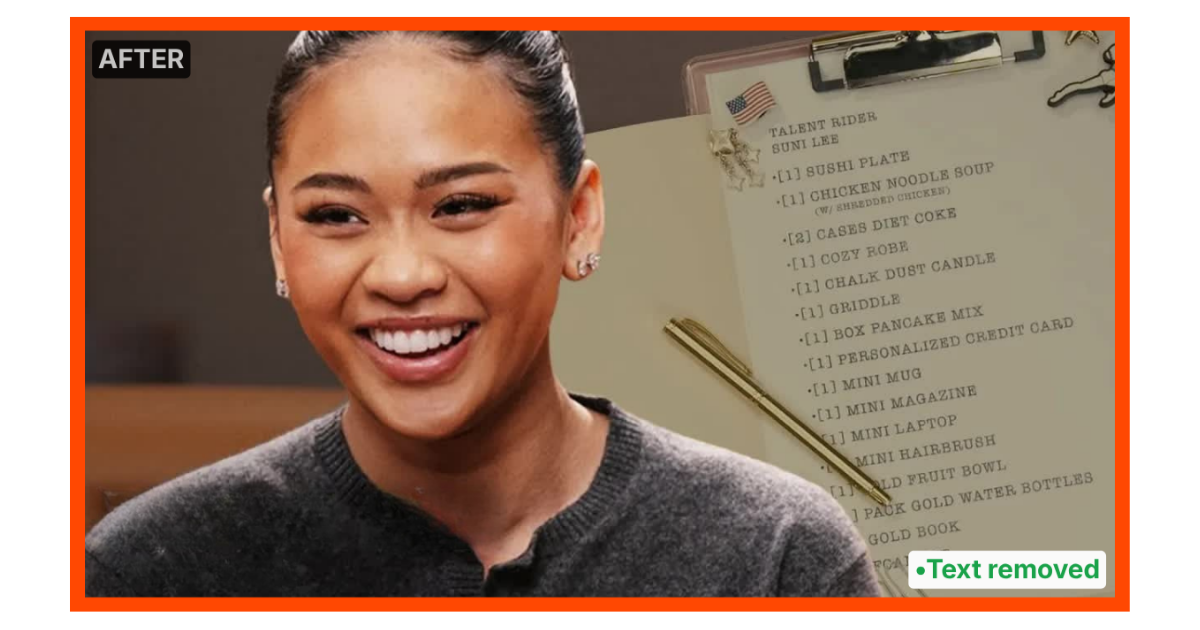
VideoNest now enables you to strip that overlay text automatically, directly inside the platform. No re-exporting assets, no design tool, no back-and-forth with a contractor.
If you'd rather replace the thumbnail entirely, you can now swap it with any specific frame from your video. Pull the exact moment that best represents your content, with no screenshots or manual uploads required. This update is live for Amazon Fire TV and supported across our other syndication partners.
Playlist Filtering for MRSS Feeds
MRSS feeds are how your content gets syndicated to platforms like Amazon Fire TV, Roku, and Plex. The more control you have over what goes into a feed, the more precisely you can match your content to each platform's audience.
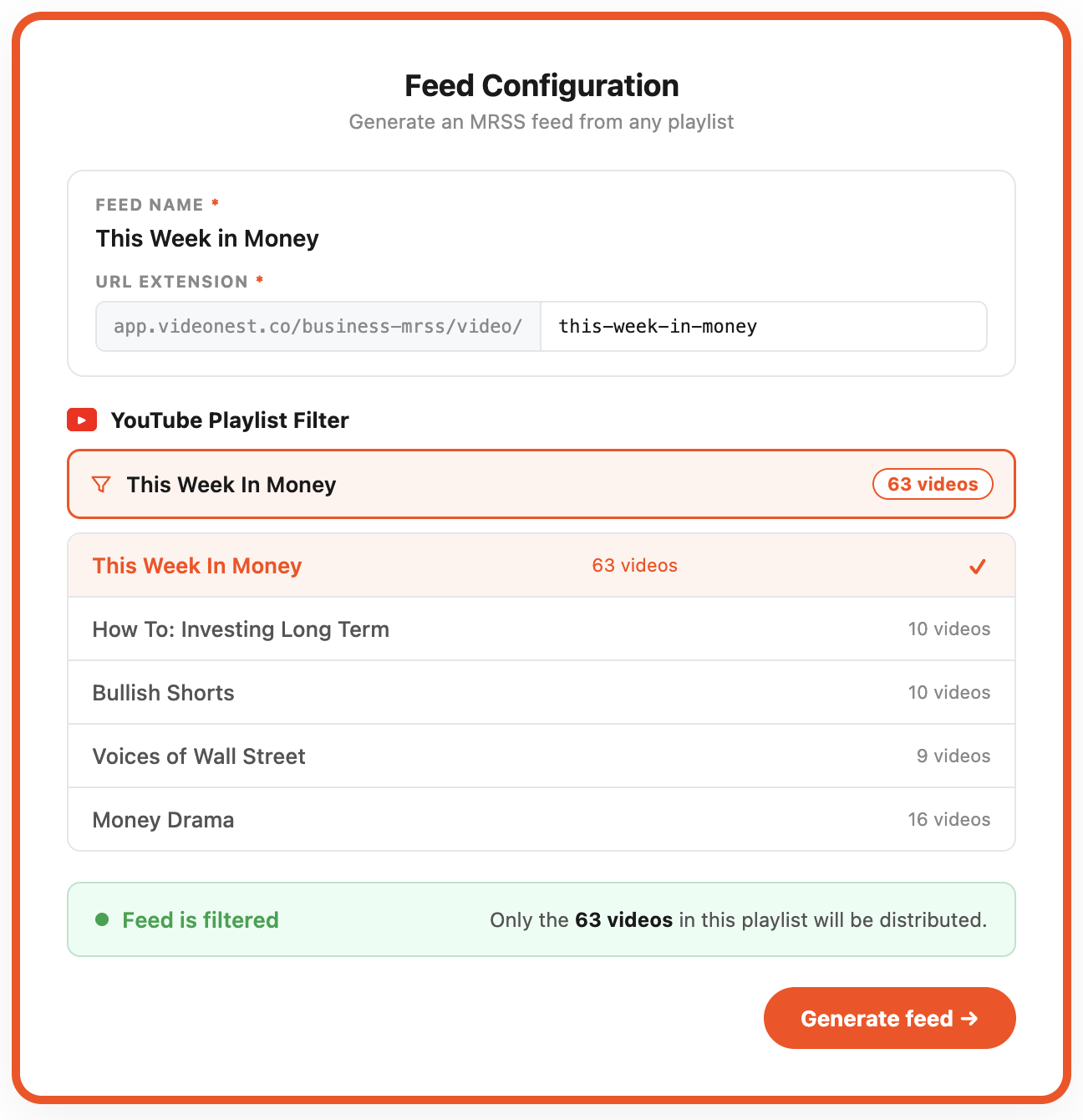
You can now build an MRSS feed directly from any playlist, including YouTube playlists synced to your VideoNest account. Only the videos in that playlist go out through the feed. No category logic to manage, no tag filters to maintain. Build a playlist, point a feed at it, done.
This is especially useful for publishers working across verticals like sports, news, lifestyle, and education who want to distribute curated, topical content to matching platforms without restructuring their entire library.
Batch Upload Up to 25 Videos and Edit Them in One Pass
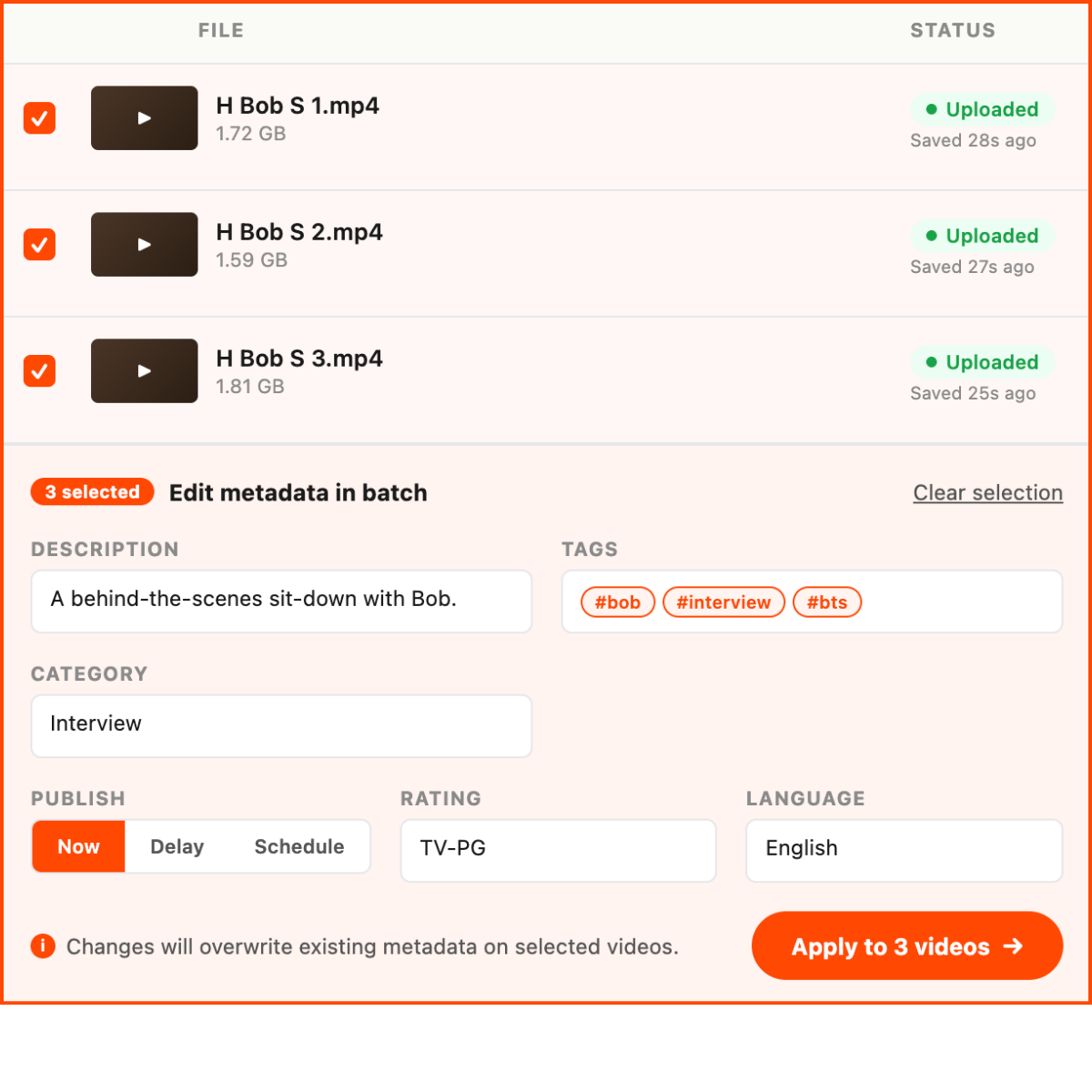
Getting new content into your library shouldn't be a bottleneck. Drag and drop up to 25 videos at once into VideoNest. Uploads start automatically and run in the background with no babysitting required.
Once your videos finish processing, set titles, descriptions, and tags across the entire batch in a single editing pass. No more clicking through each video one at a time. For publishers managing weekly releases, content archives, or multi-episode series, this is the kind of workflow change that adds up fast. Learn more about bulk uploading in VideoNest.
If any of this sparks a question or an idea about how your workflow could run smoother, my calendar is open. The next round of updates is already in the works and you'll hear about them here first. In the meantime, follow along on X and LinkedIn.
Talk soon,
Brian Hanly
CEO, VideoNest